
Changing your mobile number does not automatically close or deactivate your bank account. However, your registered mobile number is closely connected to banking services such as OTPs, transaction alerts, UPI and mobile banking.
If you have recently changed your SIM or phone number, it is important to update the new number with your bank. Otherwise, some banking services may stop working properly.
What Happens When You Change Your Mobile Number?
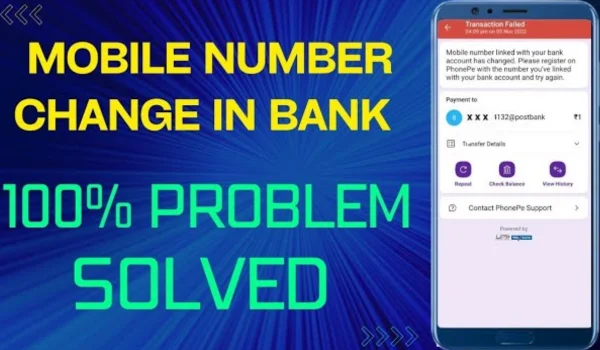
Your bank account remains active, and your account balance and transaction history are not affected simply because you changed your mobile number.
However, the old mobile number remains registered with the bank until you update it. This can create problems with:
- OTP verification
- Transaction alerts
- Mobile banking
- UPI registration
- Debit card-related services
- Internet banking
- Account notifications
Therefore, changing your number with your telecom provider and changing your registered number with the bank are two separate things.
Do You Need to Inform the Bank?
Yes. If you permanently change your mobile number, you should update it in your bank records.
Most banks provide one or more methods to update the registered mobile number, such as:
- Visiting a bank branch
- Using an ATM
- Internet banking
- Mobile banking
- Bank-approved digital verification
The available options vary between banks.
What Happens to UPI After Changing Your Number?
This is one of the most important things to check.
UPI services are linked to your bank account and registered mobile number. If you change your number, you may need to re-register or update your UPI profile with the new number.
If the new number is not registered with the bank, UPI verification may fail.
Before deleting your old SIM, make sure that your new number has been properly updated with your bank.
Will You Still Receive OTPs on the Old Number?
If the old number is still registered with the bank, banking OTPs and alerts may continue to be sent to that number.
This can become a problem if you no longer have access to the old SIM.
For security reasons, update your mobile number with the bank as soon as possible rather than continuing to use an inaccessible number.
Will Your Bank Account Number Change?
No.
Changing your registered mobile number does not normally change your:
- Bank account number
- IFSC code
- Account balance
- Transaction history
- Debit card account relationship
- Existing deposits
Only your contact information is being updated.
How to Change Your Mobile Number in a Bank Account
The exact procedure depends on your bank, but the general process is:
Step 1: Get Your New Mobile Number
Make sure the new SIM is active and can receive SMS.
Step 2: Update Your Number With the Bank
Use an available bank-approved method such as internet banking, mobile banking, ATM or branch service.
Step 3: Complete Verification
The bank may require OTP verification, debit-card authentication, biometric verification or another authentication method.
Step 4: Confirm the Update
After the number is changed, check whether you receive the bank’s confirmation message and future transaction alerts on your new number.
Step 5: Update UPI and Other Services
If required, re-register UPI and update the mobile number in other financial applications connected to your bank account.
What If You Lost Your Old Mobile Number?
If your old SIM has been lost, stolen or permanently disconnected, contact your bank immediately.
You should also contact your telecom operator if you want to block or recover the old number.
If the old number is still linked to your bank account, leaving it unchanged can create unnecessary security risks.
What Happens to Your Bank Account If Your Old Number Is Reassigned?
Mobile numbers can sometimes be reassigned by telecom operators after they are disconnected.
If your old number is still registered with your bank, transaction alerts or OTPs could potentially be sent to the person who later receives that number.
That is why updating your bank records after changing your number is an important security step.
Does Changing Your Mobile Number Affect Auto-Debits?
Generally, changing your registered mobile number does not automatically cancel existing:
- EMIs
- Standing instructions
- SIPs
- Insurance payments
- Loan repayments
- Other approved recurring payments
These are generally connected to your bank account or payment mandate rather than simply your mobile number.
However, you should check your important recurring payments after changing your number to make sure everything continues normally.
What About Internet Banking?
Your internet banking account generally remains active.
However, services requiring OTP or registered-mobile verification may not work until your new number is updated with the bank.
Therefore, if you have lost access to your old number, updating your bank records should be a priority.
Important Security Tips After Changing Your Number
Keep these points in mind:
- Update your number with every bank where you hold an account.
- Update UPI and other financial apps where required.
- Do not share OTPs, PINs or passwords with anyone.
- Deactivate or block your old SIM if it has been lost.
- Check your bank statements after making the change.
- Make sure transaction alerts are reaching your new number.
- Update your mobile number with other important financial services.
Final Takeaway
Changing your mobile number does not affect the existence of your bank account or your money. Your account number, balance and transaction history normally remain unchanged.
The important step is to update your registered mobile number with the bank. This ensures that you continue receiving OTPs, transaction alerts and other banking services and helps protect your account from security problems associated with an old or reassigned mobile number.
